If you’re trying to scale video content without hiring a full editing team, AI Studios by DeepBrain can feel like a shortcut that’s almost unfair—type a script, choose an avatar, export a polished video. The real question is: is the Free plan enough, or do you need the paid tier (often treated like the “Pro” option for serious output.
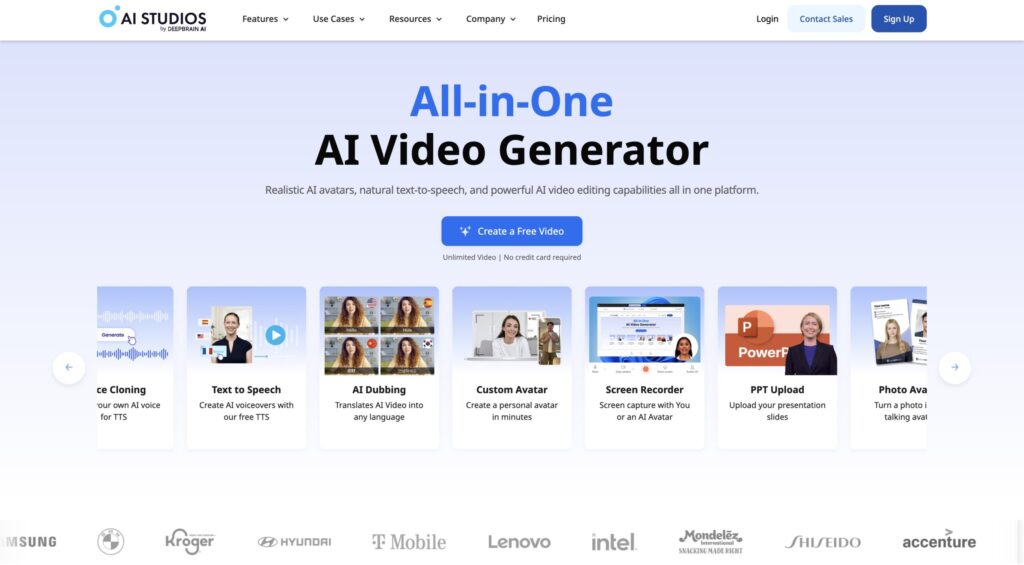
Here’s the truth most people learn the hard way: the Free plan is great for testing. But once video becomes part of your marketing machine—sales pages, onboarding, ads, training, client updates—limits turn into friction, and friction kills consistency.
To keep this information safe and current, the plan details below reference the official AI Studios pricing page (which can change). The free vs. paid differences here are based on the current plan listings and limits shown by AI Studios.
Quick internal reads (on NicheMarketingIdea): AI Studios articles • AI video generator guides • AI avatars & presenters
Free vs Pro—what’s the difference?
AI Studios Free is built for trying out the workflow: you can create a small number of short videos, export at a lower resolution, and use limited generative capabilities.
AI Studios “Pro” (the first paid tier, labeled “Personal” on the pricing page) is built for ongoing production: unlimited video creation, longer videos, higher export quality, more custom avatars, and a much larger monthly pool of generative credits and dubbing minutes.
Bottom line: Stay free if you’re testing and publishing occasionally. Upgrade if the video is becoming a weekly business asset (marketing, sales, training, support, or client delivery).
| Plan | Best for | Biggest limit you’ll feel | Best moment to upgrade |
|---|---|---|---|
| Free | Testing AI avatars, templates, and workflow | Short videos + limited monthly output | When you want consistent weekly publishing |
| Paid “Pro” (Personal) | Solo creators and businesses producing regularly | You still plan around time/credits, but far less | When video becomes part of marketing ops |
AI Studios Free vs. Pro (Personal): the clean comparison table
AI Studios labels its first paid tier as Personal. Many buyers think of that tier as the practical “Pro” option because it’s the point where you can produce consistently without running into hard walls every time you sit down to create.
| Feature | Free | “Pro” (Personal) |
|---|---|---|
| AI videos you can create | Up to 3 AI videos | Unlimited AI videos |
| Max video length | Up to 3 minutes | Up to 30 minutes |
| Custom avatars | 1 custom avatar | 3 custom avatars |
| Export quality | 720p | 1080p |
| Priority processing | 1 priority video/month | 50 priority videos/month |
| AI dubbing | Audio-only AI dubbing | AI dubbing with lip-sync + monthly minutes included |
| Generative credits | 16 one-time credits + limited models | 60/month (720/year) + full access to models listed on pricing page |
Source: AI Studios’ official pricing page lists these plan limits and inclusions. (Always verify before purchase if you’re comparing monthly vs annual billing.)
View the official AI Studios pricing details
Which plan is right for your business?
Instead of guessing, decide based on how you’ll actually use AI video in the next 30 days. If your plan is “maybe someday,” Free is perfect. If you’re already mapping video into your funnel, Pro (Personal) usually pays for itself in time saved.
Choose Free if you’re in “proof mode”
The Free plan makes sense when you’re doing one of these:
- Testing avatar realism, voices, pacing, and template quality
- Creating a short internal demo for your team or a client pitch
- Publishing occasionally (not weekly), with simple expectations
- Learning the workflow before committing budget
Free plan win: low risk, fast learning. Free plan trap: if you want to build a content rhythm, the limits can push you into “I’ll do it later,” which usually becomes “I didn’t do it at all.”
Choose Pro (Personal) if the video touches revenue or retention
Upgrade when video is no longer a fun experiment and becomes a business tool—especially in these scenarios:
- Lead gen: weekly short videos for social, YouTube, or landing pages
- Sales enablement: product explainers and objection-handling clips
- Customer success: onboarding videos, how-tos, and update announcements
- Training: internal SOPs that save your team from repeated meetings
- Localization: dubbing and multi-language delivery when expanding markets
Paid plan win: you can produce consistently. Higher export quality helps your brand look serious, and longer max duration means you stop cutting scripts down to fit the plan instead of fitting the plan to your business.
The upgrade checklist: 7 questions that make the decision obvious
If you answer “yes” to two or more, you’re usually ready for Pro (Personal):
- Do you need more than 3 videos this month?
- Do you need videos longer than 3 minutes?
- Do you care about 1080p output for a professional look?
- Will you publish on a schedule (weekly or more)?
- Do you need faster processing so video doesn’t become a bottleneck?
- Do you need stronger dubbing features (like lip-sync) for global audiences?
- Do you want more creative flexibility from the generative tools?
If you answered “no” to most of these, stay on Free and focus on building one repeatable workflow first: script → avatar → export → publish. Once that’s a habit, upgrading becomes a multiplier instead of a rescue mission.
Try AI Studios (affiliate link)
If you want to test the workflow fast—especially avatars, templates, and short business videos—AI Studios is a strong place to start.
Tip: Start on Free to validate your workflow, then upgrade only when you have a real publishing rhythm.
Where “Pro” really matters: quality signals your audience notices
Most businesses don’t lose because their AI video isn’t perfect. They lose because their output looks inconsistent. The paid tier tends to help with consistency—especially on:
- Export quality: if your brand visuals are sharp, 1080p usually blends better across platforms
- Time-to-publish: more priority processing reduces “I’ll export later” delays
- Content range: longer max duration means you can produce onboarding, training, and deeper explainers
- Localization: dubbing tools become practical, not just a demo feature
That’s why “Pro” decisions are rarely about features on paper. They’re about removing the friction that stops you from publishing.
FAQ: AI Studios Free vs. Pro
Is AI Studios actually free?
Yes. AI Studios offers a Free plan with limited monthly output designed for testing the platform before committing to a paid tier.
What does AI Studios call the “Pro” plan?
On the pricing page, the first paid tier is labeled Personal. Many people refer to it as “Pro” because it’s the practical upgrade point for consistent business use.
When should a business upgrade from Free?
Upgrade when you need consistent output (weekly publishing), higher export quality, longer videos, stronger dubbing, and greater creative flexibility. If video impacts lead generation, sales, onboarding, or training, the paid tier is usually worth it.
Does the paid plan remove most limits?
The Personal plan removes the limit on the number of videos you can create and expands length, exports, processing priority, dubbing, and credits. Some usage still depends on plan-based limits (like max duration and included dubbing/credits), which are listed on the official pricing page.
Where can I confirm the latest plan limits?
The most reliable source is the official AI Studios pricing page, since plan details can change over time.
Best next step
If you’re still unsure, do this: create one Free video that addresses a real business need (a product explainer, an onboarding step, or a lead magnet intro). If you immediately want to make “version two” and publish weekly, you’ve answered the plan question.
Optional deep dive: Browse more AI Studios coverage here: AI Studios posts on NicheMarketingIdea.
