In the fast-paced world of digital marketing and corporate training, video is king. But let’s be real: traditional video production is a bottleneck. It’s expensive, slow, and hard to scale. Enter AI Studios by DeepBrain AI—the heavy hitter in the world of AI video generation.
If you’re looking to move beyond simple one-off videos and start building a high-octane content engine, you probably have two big questions: Can my team work together on this? And can I automate this process using an API?
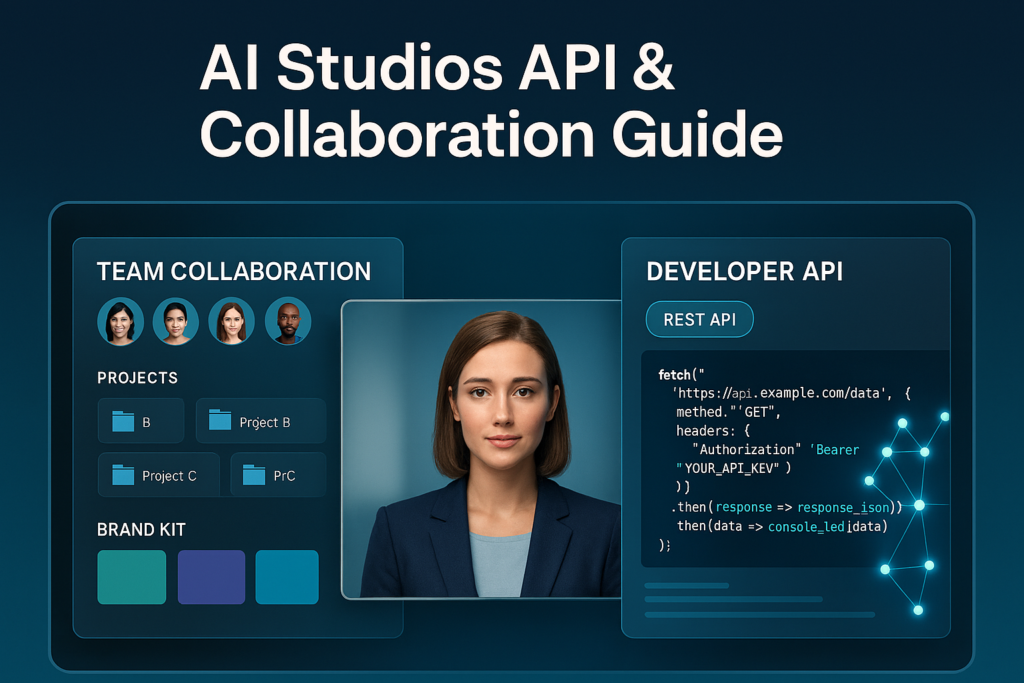
The short answer: Yes and yes. Let’s dive into how AI Studios turns video creation from a solo chore into a streamlined, team-wide powerhouse.
Power in Numbers: Team Collaboration Features
Gone are the days of sharing “Company_Login_123” passwords and emailing MP4 files back and forth. AI Studios is built for professional environments where collaboration is non-negotiable.
1. Shared Workspaces
The Team and Enterprise plans unlock a centralized dashboard. This means your scriptwriters, designers, and project managers can all log in to a unified space to manage projects. You can see what’s in the pipeline, what’s rendering, and what’s ready for social media in real-time.
2. Brand Kits for Total Consistency
Nothing kills a brand faster than using the wrong shade of blue. AI Studios allows teams to upload Brand Kits. You can store your official logos, custom fonts, and brand colors in a shared library. Now, every team member—regardless of their design skills—can produce videos that look like they came straight from the creative department.
3. Shared Assets
Need to use that specific Custom Avatar or a specific Voice Clone? On a Team plan, these assets aren’t tied to a single account. They are available to the entire group, ensuring that your “Virtual CEO” sounds and looks the same across all training modules.
Automation at Scale: Robust API Integration
For the tech-savvy teams and SaaS founders, this is where the real magic happens. If you need to generate 1,000 personalized videos for 1,000 different customers, you aren’t going to do that manually. You’re going to use the AI Studios API.
Programmatic Video Generation
The RESTful API allows you to feed scripts and data directly into the DeepBrain engine. You can build internal tools that automatically turn blog posts into videos or create personalized “Thank You” messages the moment a customer makes a purchase.
Webhook Support
Don’t waste time clicking “refresh.” With Webhook support, AI Studios will ping your system the moment a video finishes rendering. This allows for a completely hands-off workflow—from script input to final delivery.
Seamless Integration
Whether you are working with a CRM (like Salesforce), a CMS (like WordPress), or your own proprietary software, the API is flexible enough to bridge the gap. DeepBrain provides extensive developer documentation to make the “handshake” between your app and their AI as smooth as possible.
Which Plan is Right for You?
| Feature | Personal | Team | Enterprise |
| Best For | Freelancers | Small/Mid Agencies | Large Scale/SaaS |
| Collaboration | ❌ | ✅ | ✅ |
| API Access | ❌ | ✅ | ✅ |
| Resolution | 1080p | 4K | 4K |
The Verdict: Should You Switch?
If you are a solo creator, the Personal plan is a great playground. But if you are a business looking to scale, the collaboration tools and API access are the keys to the kingdom.
AI Studios doesn’t just make video creation easier; it automates and collaborates on it. You can stop worrying about the technical “how-to” and start focusing on the “what’s next.”
Ready to transform your workflow?
Stop making videos the hard way. Start building your AI-powered video department today.
👉 Get Started with AI Studios Here
#AIVideo #DeepBrainAI #AIStudios #ContentAutomation #VideoMarketing #TeamCollaboration #TechTrends2024 #VideoAPI
